How to Choose a Photo for a Tote Bag or Phone Case
Choose an image for a personalized tote bag or phone case and check how seams, handles, and camera openings affect the design.
By Giftelvo
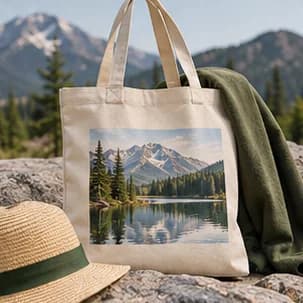
Choose what should be visible at a glance
A tote can show a wide travel image or a bold detail like a painted doorway. On a phone case, a single face, pet, or landmark usually has more room to stand out. If you want both items from one image, keep an uncropped original so you can make a separate crop for each shape.
Keep key details away from seams and openings
For a tote, check the preview for where the printable area ends and where the bag creases when it hangs. A caption near a seam may be hard to read. Keep important elements above the base and check the preview for the exact bag you choose.
For a phone case, select the correct phone model before arranging the design. The camera cutout changes by model and can take up more of the image than you expect. Try shifting a pet’s eyes or a landmark away from that corner before zooming in.
Compare the finished design at normal viewing size
Hold the phone preview at arm’s length or reduce it on screen. If a group picture becomes a row of indistinct faces, try a tighter original or switch to the tote, where you may have more usable space. For text, pick a simple background and verify spelling after moving the crop.
Before gifting a case, confirm the exact model with the recipient or someone who can check it. If you are keeping the gift a surprise and cannot confirm the fit, a tote made with the same photo is an option.