How to Choose a Photo for a Custom Mug
Choose a photo that reads clearly on a mug, then check the crop, handle placement, and any lettering in the preview.
By Giftelvo
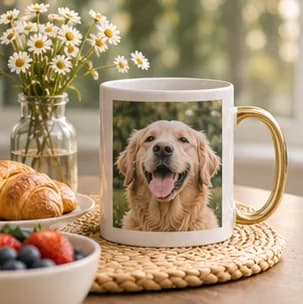
Pick one subject the recipient will recognize
A face, pet, or familiar landmark with an uncluttered background tends to read clearly on a mug. Crop a vacation photo around one memorable feature instead of fitting the whole panorama into a small area. If the point is a group of people, look for a picture where they are close together and facing the camera.
Check the design from both sides of the handle
Use the mug preview to check which part of the image will face you and which part will face out when the mug is held. If a wraparound layout is available, look at both sides to make sure the curve does not hide a face or split a word. Keep faces and captions clear of the printable boundary shown in the preview.
A portrait file may work well for one side. A wide image can make better use of a wrap if you can place the most important subject where it is visible. Start with the original photo so you have enough room to shift the crop.
Read the caption at mug size
Short wording like a pet’s name or a single date is easier to fit than a sentence. Place lettering over a plain area or choose a layout with space beside the photograph. Review the final version from a normal reading distance and check spelling before ordering.
For an office or teacher gift, choose a photo the recipient would be comfortable displaying in a shared setting.